
Raft Adventure — Senior Unity Dev
Tech: Unity, C#, Unity UI, Shader Graph
Project Overview
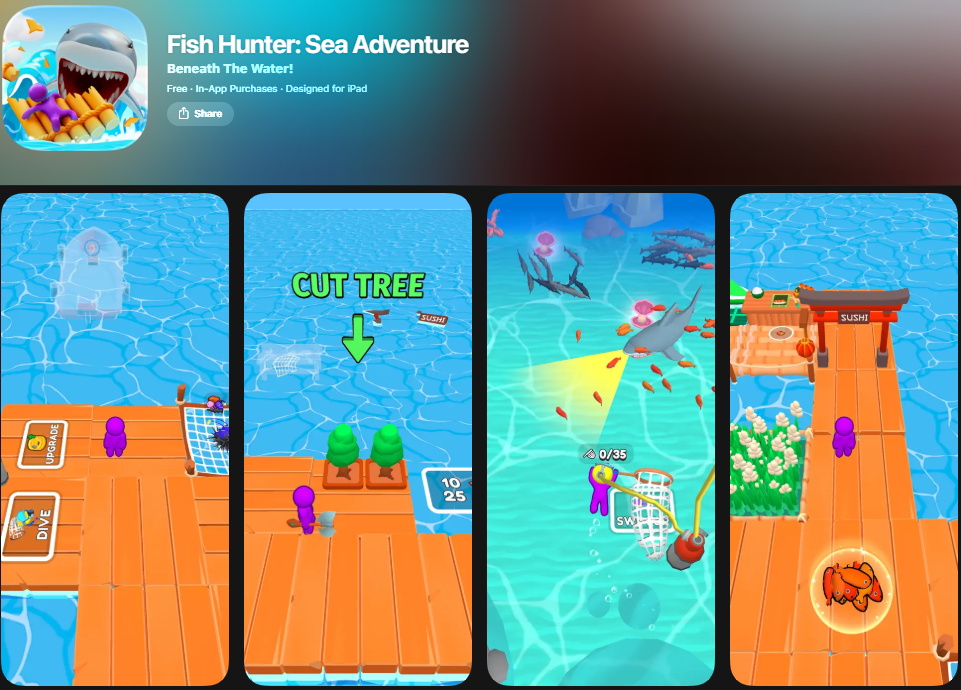
Studio: Udo Games
Team Size: 3 (Developer + Artist + Game Designer)
Role: Senior Unity Developer
Store Page: App Store
Raft Adventure is a mobile idle-arcade game built around interconnected water, raft, and underwater gameplay systems. As the initial single developer, I owned the project from early development through release and post-launch updates, designing and evolving the core architecture to support ongoing content expansion and meta-system integration.
My Role
- Built the project from the ground up as the initial single developer, defining the overall technical direction and architecture.
- Owned the core gameplay loop end-to-end, including player control, interaction rules, resource flow, and progression systems.
- Designed systems to be data-driven and iteration-friendly, separating gameplay logic from content and presentation.
- Created reusable helper frameworks and utilities to reduce duplication and speed up development.
- Took responsibility for production stability, especially in areas involving persistent state, runtime object restoration, and edge-case handling.
- Established patterns that allowed other developers to add new systems and meta layers without destabilizing the core experience.
Core Gameplay Systems (Water × Raft × Underwater)
- Player control architecture supporting multiple gameplay states and transitions.
- State-driven rules for movement, interaction, and combat across environments.
- Underwater gameplay system integrating movement, oxygen/pressure feedback, and environmental rules.
- Shader Graph–based water and underwater visuals tied directly to gameplay state (above water vs underwater).
- Centralized control of visual parameters to ensure readability and consistency across transitions.
Progression, Economy & Upgrade Systems
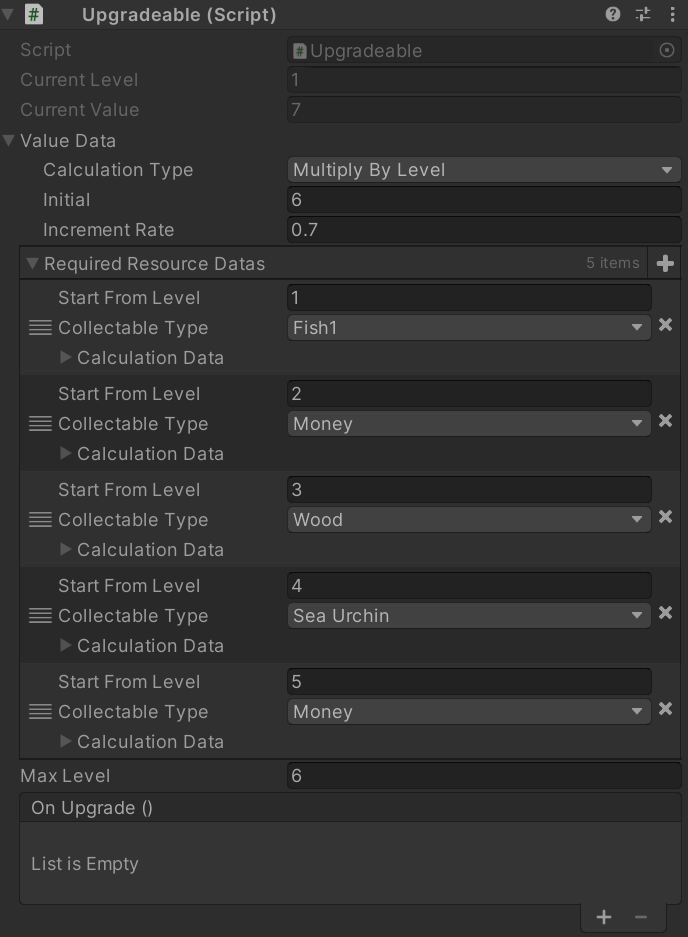
- Resource flow design from world providers to collection, storage, and upgrades.
- Upgradeable world objects with clear unlock conditions and feedback.
- Scalable structure for introducing new upgrade paths and progression layers.
Interaction Areas & World Objects
- Reusable interaction-area system for gated actions and contextual gameplay.
- Clear ownership boundaries between world objects, interactions, and UI feedback.
- Defensive handling of runtime changes, disabled objects, and missing references.
UI Systems & Player Feedback
- Resource and upgrade UI designed for fast iteration.
- World-space UI patterns for in-world upgrades and status indicators.
- Consistent feedback systems to clearly communicate player actions and results.
Persistence & Save/Load Safety
A major focus was ensuring the game could restore progression and world state reliably across sessions, even as systems and content evolved.
What this enabled
- Persistent upgrades and unlocks across play sessions.
- Safe restoration of dynamic world objects and interaction states.
- Forward-compatible structure allowing new content to be introduced without breaking existing saves.
Production considerations
- Clear separation between save data and scene content.
- Defensive restoration logic for partial or outdated data.
- Stable identifiers used to reconstruct world and progression state safely.
Performance & Runtime Considerations
- Shader Graphs were authored with mobile performance in mind, avoiding unnecessary complexity and overdraw.
- Visual effects were designed to be parameter-driven, reducing the need for variant duplication.
- Pooling and reuse patterns were applied to effects and gameplay objects to minimize runtime allocations.
- Visual fidelity was balanced against gameplay clarity to maintain consistent frame pacing.
These decisions allowed visual iteration and post-launch updates without introducing performance regressions, even in low-end Android devices at the time.
Tooling & Reusable Helper Framework
To support rapid iteration and reduce technical debt, I built a reusable helper layer used across gameplay and UI systems.
- General-purpose utilities (math helpers, extensions, counters, timers).
- Camera helpers and follow systems.
- Pooling patterns for effects and frequently spawned objects.
- UI helpers for consistent transitions and feedback.
Technical Takeaways
- Strong separation of systems enables safer long-term iteration.
- Early investment in tooling and helpers reduces feature development cost later.
- Persistent systems must be designed defensively from the start in live mobile projects.
- Core gameplay architecture should assume future expansion, even when starting small.